Just do an easy way to change the mouse scrolling direction in a Windows system.
Recent research works need a Windows environment.
After setting up an old but good win7 PC, I, as an old mac user, have to change the mouse scrolling direction from the windows default to NATURAL.
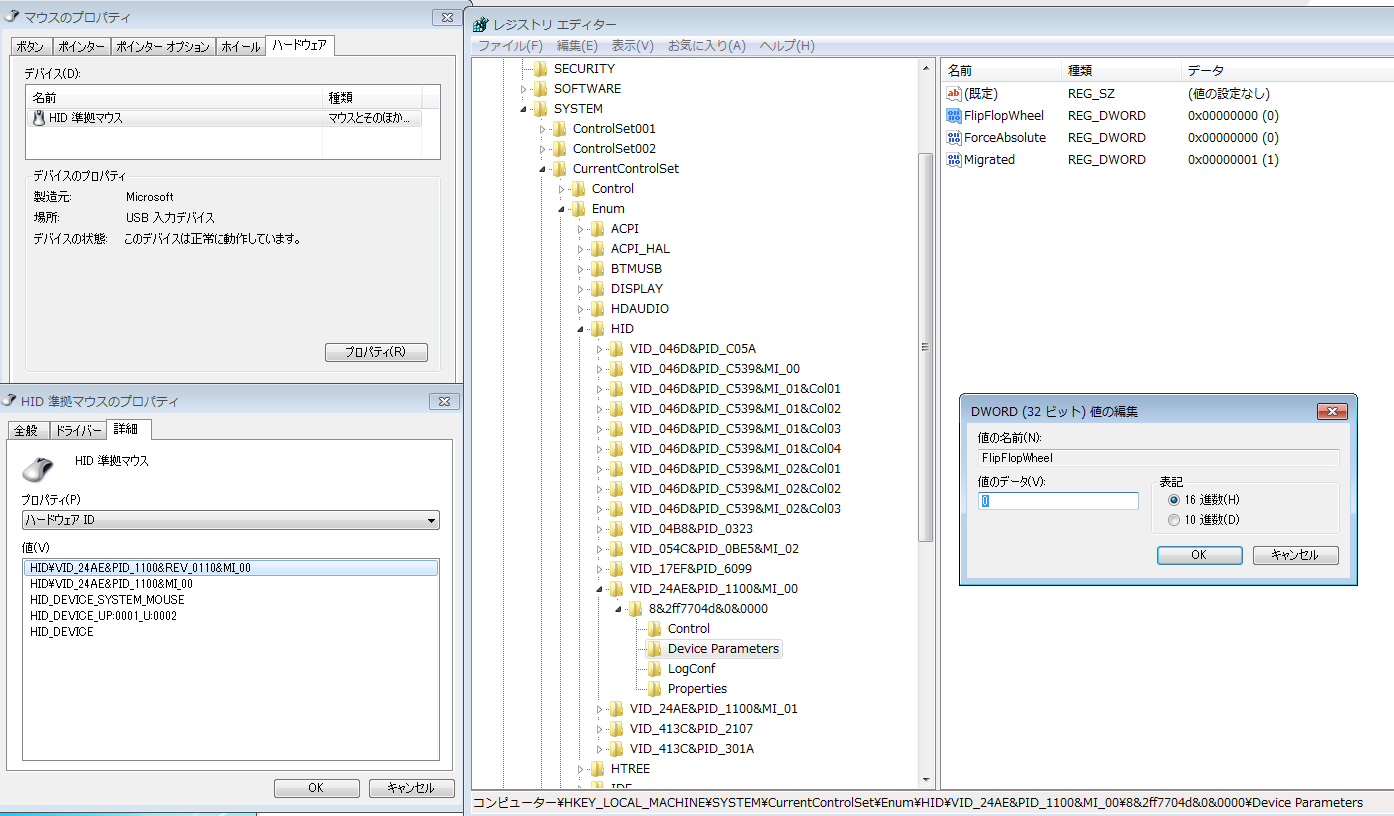
Here is the detailed method in the following picture for possible future reference.
The steps:
- Find the mouse hardware ID information.
- Open the regedit and find the mouse.
- In its
Device Parameters, to change the FlipFlopWheel value from0to1. - Restart the Win7 system.
If a high-class mouse (e.g., logi MX etc), will have a manufacturer-made application to utility some detailed operating customization, whatever mac or windows OS. The above method is a general one in the windows system.
Long time no touch windows system. After a few hours setting up on the PC, I can not agree more with Steve Jobs, who criticized Microsoft has no taste.